 MemoryLane
EXIF metadata is easy to overlook because it is usually presented one photograph at a time. Across a whole archive, the same information can answer much richer questions about cameras, lenses, focal lengths, exposure habits, and years of work.
What the archive may already know
A digital camera normally records its make and model, the lens, capture time, shutter speed, aperture, ISO, focal length, orientation, and often many manufacturer-specific details. Phones may add location data, while editing applications can contribute keywords, ratings, copyright details, or XMP sidecars.
Once those fields are indexed, they become ways to move through the collection. You can find every photograph from a certain body, see which lens accompanied it most often, or narrow one year down to a focal length and aperture. This is useful for finding photographs, but it can also show how your habits developed.
Ask questions that span years
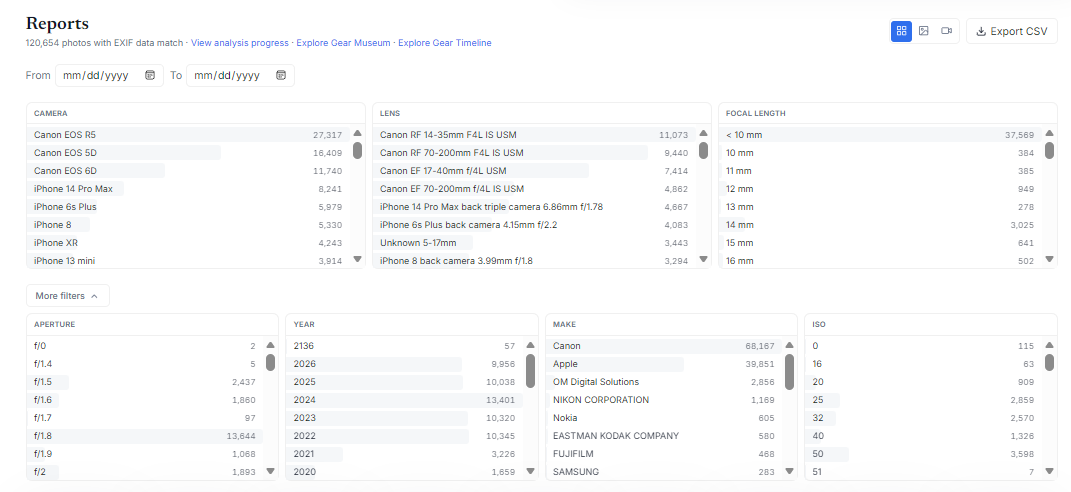
A report becomes interesting when each choice updates the rest of the results. Selecting a camera should reveal the lenses, years, and settings associated with that body rather than leaving unrelated totals on screen.
- Which camera produced most of the photographs that survived your later culling?
- Did a favorite prime lens actually change the focal lengths you used?
- When did a camera enter the archive, and when did you stop carrying it?
- Which ISO values were common before and after a major equipment change?
- How often did you use a lens wide open compared with stopping it down?
These are personal questions rather than equipment rankings. A heavily used older camera may matter more to your photographic history than a technically better model that rarely left the shelf.
Expect imperfect metadata
Real archives contain gaps and contradictions. Adapted manual lenses may not identify themselves, third-party lens names can vary, scanned film may have no camera information, and exported images may contain only a small subset of the original fields. Clock errors and time-zone changes can also place photographs on the wrong day.
A useful catalog keeps unknown values visible instead of silently discarding those photographs. It should also preserve the raw metadata so that later improvements in interpretation do not require changing the original file.
Normalize carefully
The same piece of equipment can appear under slightly different names because cameras and software write metadata differently. Normalizing those labels makes reports easier to read, but aggressive cleanup can accidentally combine distinct lenses. It is worth retaining the original value alongside any friendlier display name.
Focal length deserves similar care. Exact values are useful for fixed lenses and common zoom positions, while grouped ranges make a large report readable. Both views have a place, especially when a photographer wants to distinguish a genuine 35 mm habit from a broad wide-angle category.
Turn a report into a route back to the photographs
Charts and counts are only useful if they lead back to the images. Selecting a year on a gear timeline or a lens in a report should open the matching photographs, where the reasons behind the numbers become visible. A spike in use may reflect a journey, a new child, a work assignment, or simply the period when one camera was always nearby.
How MemoryLane uses EXIF
MemoryLane reads standard and manufacturer-specific metadata with ExifTool, then turns cameras, lenses, focal lengths, apertures, years, makes, ISO values, dates, and media types into connected filters. Reports can open the matching photographs or export the active results as CSV.
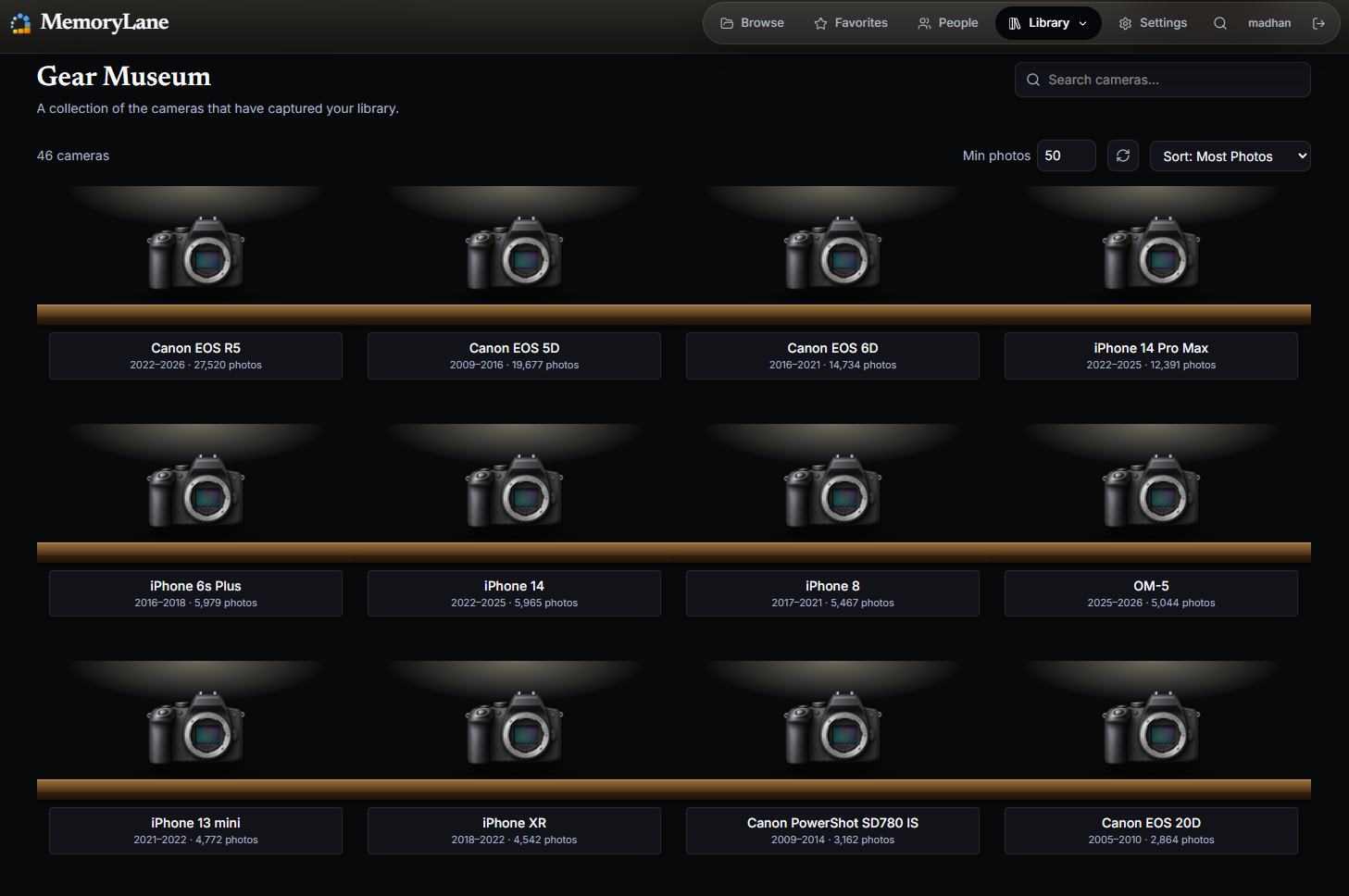
The Gear Museum and gear timeline provide a more personal view of the same information by showing when equipment appeared, how often it was used, and which photographs came from it. RAW and JPEG versions of the same exposure can appear together, which prevents a paired workflow from doubling the apparent count.
See what your archive remembers
MemoryLane builds these reports locally from the metadata already in your files.